
Apple Certified Support Professional macOS 11 - 3 Data Management
- CategoryOther
- TypeTutorials
- LanguageEnglish
- Total size3.8 GB
- Uploaded Byfreecoursewb
- Downloads44
- Last checkedSep. 16th '21
- Date uploadedSep. 13th '21
- Seeders 4
- Leechers10
Apple Certified Support Professional macOS 11: 3 Data Management 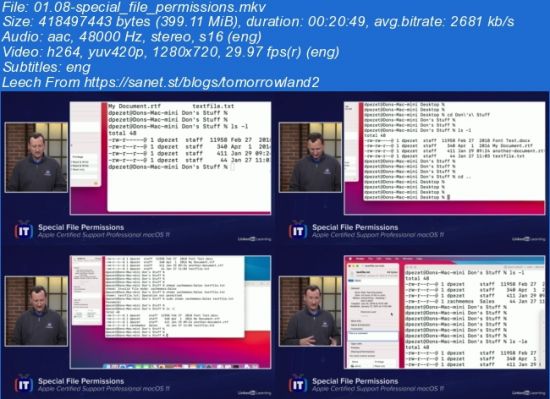
LinkedIn
Duration: 3h 25m | Project Files Included | Video: 1280x720, 48kHz | 3.838 GB
Genre: eLearning | Language: English | Skill Level: Beginner
Are you currently a macOS administrator, aspiring to become one, or preparing for the Apple Certified Support Professional (ACSP) certification exam? If so, this course can help you master information you’ll need about data management in macOS. With a user-friendly, two-host format, ITProTV shows you several methods for managing your data, keeping it secure, and setting permissions. This course covers storage hardware, file systems, and file system maintenance. It explains FileVault disk encryption and the differences between archives and disk images. The course explains default file permissions, then goes into how you can customize permissions and set special file permissions. After going over aliases, links, and hidden files and folders, the course concludes with the four file domains in macOS and the purpose of each domain.
Files:
[ FreeCourseWeb.com ] Apple Certified Support Professional macOS 11 - 3 Data Management- Get Bonus Downloads Here.url (0.2 KB) ~Get Your Files Here !
- 01.01-storage_hardware.mkv (365.5 MB)
- 01.02-file_systems.mkv (338.7 MB)
- 01.03-file_system_maintenance.mkv (388.0 MB)
- 01.04-filevault_disk_encryption.mkv (364.8 MB)
- 01.05-archives_and_disk_images.mkv (352.8 MB)
- 01.06-default_file_permissions.mkv (331.3 MB)
- 01.07-customizing_permissions.mkv (368.5 MB)
- 01.08-special_file_permissions.mkv (399.1 MB)
- 01.09-aliases_and_links.mkv (282.5 MB)
- 01.10-hidden_files.mkv (370.4 MB)
- 01.11-understanding_file_domains.mkv (365.6 MB)
- Bonus Resources.txt (0.3 KB) Ex_Files_Apple_Cert_Support_Pro_macOS_11_3 Exercise Files
- apple-acsp11-3-1-1-storage-hardware.pdf (37.1 KB)
- apple-acsp11-3-10-1-hidden-files.pdf (32.3 KB)
- apple-acsp11-3-11-1-understanding-file-domains.pdf (38.7 KB)
- apple-acsp11-3-2-1-file-systems.pdf (31.3 KB)
- apple-acsp11-3-3-1-file-system-maintenance.pdf (29.3 KB)
- apple-acsp11-3-4-1-filevault-disk-encryption.pdf (29.5 KB)
- apple-acsp11-3-5-1-archives-and-disk-images.pdf (33.4 KB)
- apple-acsp11-3-6-1-default-file-permissions.pdf (39.7 KB)
- apple-acsp11-3-7-1-customizing-permissions.pdf (36.7 KB)
- apple-acsp11-3-8-1-special-file-permissions.pdf (37.0 KB)
- apple-acsp11-3-9-1-aliases-and-links.pdf (28.4 KB)
Code:
- udp://tracker.torrent.eu.org:451/announce
- udp://tracker.tiny-vps.com:6969/announce
- http://tracker.foreverpirates.co:80/announce
- udp://tracker.cyberia.is:6969/announce
- udp://exodus.desync.com:6969/announce
- udp://explodie.org:6969/announce
- udp://tracker.opentrackr.org:1337/announce
- udp://9.rarbg.to:2780/announce
- udp://tracker.internetwarriors.net:1337/announce
- udp://ipv4.tracker.harry.lu:80/announce
- udp://open.stealth.si:80/announce
- udp://9.rarbg.to:2900/announce
- udp://9.rarbg.me:2720/announce
- udp://opentor.org:2710/announce
