
Udemy - Design & Build a Gardening Website in Designer and Oxygen
- CategoryOther
- TypeTutorials
- LanguageEnglish
- Total size2 GB
- Uploaded Byfreecoursewb
- Downloads38
- Last checkedOct. 25th '21
- Date uploadedOct. 22nd '21
- Seeders 5
- Leechers11
Infohash : B76933D2D67B8084C5FADCC669E2E4989C164F1E
Design & Build a Gardening Website in Designer and Oxygen 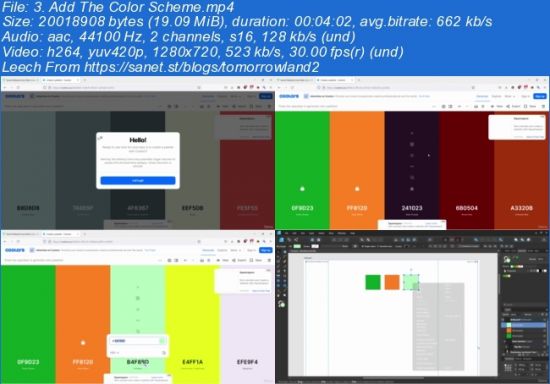
Created by Dawid Tuminski | Published 10/2021
Duration: 3h 24m | 3 sections | 386 lectures | Video: 1280x720, 44 KHz | 2.02 GB
Genre: eLearning | Language: English + Sub
How To Design & Build a Gardening Website in Affinity Designer and Oxygen Builder
What you'll learn
Design a Gardening Website in Affinity Designer
Develop the Website in Oxygen Builder
Learn Affinity Designer's Web Design Tools and Abilities
Learn How To Use Oxygen Builder To Create a Website
Requirements
Basic Knowledge of Affinity Designer
Basic Wordpress Skills
Basic Oxygen Builder Skills
Description
Hello and welcome the course in which you will polish your web design and web development skills.
I am so grateful to have you here! I know there is a lot of courses out there, that's why I really appreciate that you chose this one.
So, if you are one of those students who have been wondering:
https://TutGee.com
Files:
[ TutGee.com ] Udemy - Design & Build a Gardening Website in Designer and Oxygen- Get Bonus Downloads Here.url (0.2 KB) ~Get Your Files Here ! 1. Introduction
- 1. Introduction.mp4 (36.3 MB)
- 1. Introduction.srt (3.2 KB)
- 1. Create a New File.mp4 (14.5 MB)
- 1. Create a New File.srt (3.7 KB)
- 10. Add The Video Section.mp4 (65.2 MB)
- 10. Add The Video Section.srt (10.6 KB)
- 11. Add The Services Section.mp4 (87.3 MB)
- 11. Add The Services Section.srt (10.7 KB)
- 12. Start The Gallery.mp4 (56.2 MB)
- 12. Start The Gallery.srt (8.0 KB)
- 13. Create The Grid Gallery.mp4 (34.4 MB)
- 13. Create The Grid Gallery.srt (4.1 KB)
- 14. Add The Footer.mp4 (29.1 MB)
- 14. Add The Footer.srt (5.7 KB)
- 15. Start Building The Footer Links.mp4 (51.2 MB)
- 15. Start Building The Footer Links.srt (8.3 KB)
- 2. Add The Top Bar.mp4 (50.6 MB)
- 2. Add The Top Bar.srt (10.6 KB)
- 3. Add The Color Scheme.mp4 (19.1 MB)
- 3. Add The Color Scheme.srt (5.6 KB)
- 4. Add The Logo.mp4 (24.5 MB)
- 4. Add The Logo.srt (4.8 KB)
- 5. Add The Navigation.mp4 (16.9 MB)
- 5. Add The Navigation.srt (5.8 KB)
- 6. Add The Hero Image.mp4 (31.8 MB)
- 6. Add The Hero Image.srt (5.0 KB)
- 7. Create The Main CTA.mp4 (121.9 MB)
- 7. Create The Main CTA.srt (10.8 KB)
- 8. Add The Cards.mp4 (49.3 MB)
- 8. Add The Cards.srt (9.6 KB)
- 9. Add The Visual Separation.mp4 (44.3 MB)
- 9. Add The Visual Separation.srt (7.2 KB)
- 1. Add Colors And Utility Classes.mp4 (15.6 MB)
- 1. Add Colors And Utility Classes.srt (3.9 KB)
- 10. Start The Video Section.mp4 (52.6 MB)
- 10. Start The Video Section.srt (6.4 KB)
- 11. Add The Video Placeholder.mp4 (72.0 MB)
- 11. Add The Video Placeholder.srt (9.2 KB)
- 12. Start The Services Section.mp4 (50.4 MB)
- 12. Start The Services Section.srt (6.6 KB)
- 13. Create The Slices.mp4 (19.7 MB)
- 13. Create The Slices.srt (2.9 KB)
- 14. Add The Cards.mp4 (55.1 MB)
- 14. Add The Cards.srt (7.8 KB)
- 15. Set Up The Grid.mp4 (27.1 MB)
- 15. Set Up The Grid.srt (3.5 KB)
- 16. I Almost Forgot About The Background Colors.mp4 (15.3 MB)
- 16. I Almost Forgot About The Background Colors.srt (2.6 KB)
- 17. Create The Image Comparison Section.mp4 (60.8 MB)
- 17. Create The Image Comparison Section.srt (5.9 KB)
- 18. Fix The Responsiveness.mp4 (17.0 MB)
- 18. Fix The Responsiveness.srt (2.0 KB)
- 19. Add The Grid Gallery.mp4 (78.8 MB)
- 19. Add The Grid Gallery.srt (8.1 KB)
- 2. Add The Top Bar.mp4 (32.8 MB)
- 2. Add The Top Bar.srt (7.8 KB)
- 20. Start Building The Footer.mp4 (98.9 MB)
- 20. Start Building The Footer.srt (12.3 KB)
- 21. Build Out The Footer Links.mp4 (37.3 MB)
- 21. Build Out The Footer Links.srt (5.2 KB)
- 22. Build Out The Footer Content and Let's Wrap Things Up.mp4 (111.8 MB)
- 22. Build Out The Footer Content and Let's Wrap Things Up.srt (15.3 KB)
- 3. Add The Hero Background.mp4 (38.7 MB)
- 3. Add The Hero Background.srt (4.8 KB)
- 4. Add The Logo.mp4 (39.9 MB)
- 4. Add The Logo.srt (3.4 KB)
- 5. Add The Menu.mp4 (56.0 MB)
- 5. Add The Menu.srt (5.1 KB)
- 6. Stylize The Menu.mp4 (122.6 MB)
- 6. Stylize The Menu.srt (12.1 KB)
- 7. Add The Hero Heading and Links.mp4 (86.3 MB)
- 7. Add The Hero Heading and Links.srt (7.0 KB)
- 8. Start The Next Section.mp4 (127.9 MB)
- 8. Start The Next Section.srt (11.9 KB)
- 9. Add The Visual Division Between Sections.mp4 (93.8 MB)
- 9. Add The Visual Division Between Sections.srt (11.0 KB)
- Bonus Resources.txt (0.3 KB)
Code:
- udp://tracker.torrent.eu.org:451/announce
- udp://tracker.tiny-vps.com:6969/announce
- http://tracker.foreverpirates.co:80/announce
- udp://tracker.cyberia.is:6969/announce
- udp://exodus.desync.com:6969/announce
- udp://explodie.org:6969/announce
- udp://tracker.opentrackr.org:1337/announce
- udp://9.rarbg.to:2780/announce
- udp://tracker.internetwarriors.net:1337/announce
- udp://ipv4.tracker.harry.lu:80/announce
- udp://open.stealth.si:80/announce
- udp://9.rarbg.to:2900/announce
- udp://9.rarbg.me:2720/announce
- udp://opentor.org:2710/announce
